> ## Documentation Index
> Fetch the complete documentation index at: https://docs.trunk.io/llms.txt
> Use this file to discover all available pages before exploring further.
# Flaky Tests: Linear integration
> We now have a built-in Linear integration that creates tickets with relevant test and failure information from your flaky tests.
We now have a built-in Linear integration that creates tickets with relevant test and failure
information from your flaky tests.
Detecting and quarantining flaky tests aren’t the only steps required to eliminate them from a repo.
A follow-up process must also be established to collect, triage, and fix flaky tests.
Ticketing system integrations help with that follow-up. Trunk generates tickets automatically from
detected flaky tests, enabling you to triage and address flakes. Flakes on important tests should be
dealt with immediately, and other flakes can be added to a backlog or the tests can be marked for
future removal.
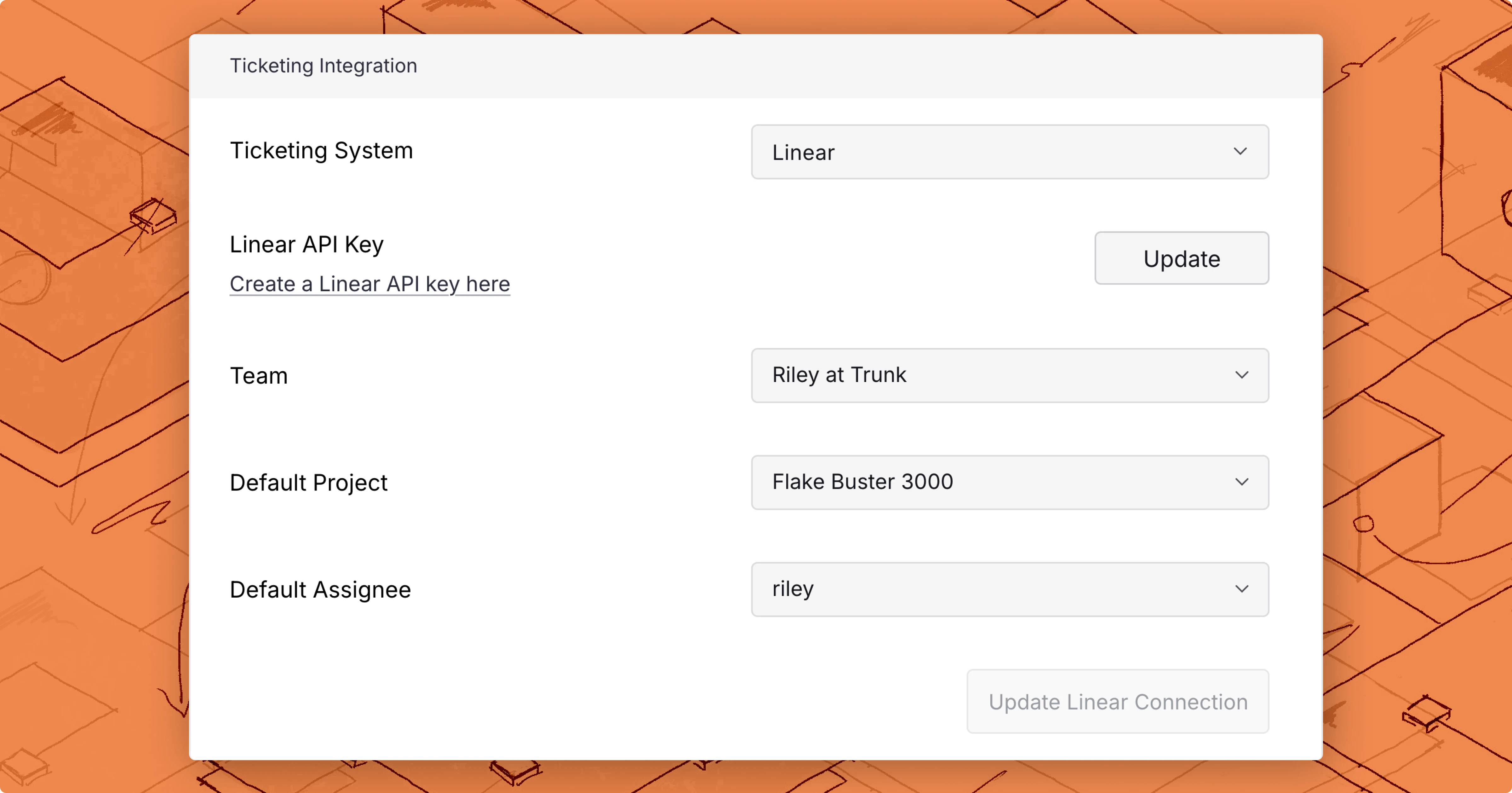
To set up the Linear integration:
* Navigate to **Settings** → **\[repo]** → **Ticketing Integration**.
* Select **Linear** as your system and enter a **Linear API key**.
* Select a **team** and connect to Linear.
You can also select a default project and assignee for newly created tickets. This enables you to
designate a person on a team to triage, prioritize, update, and assign tickets for flaky tests when
they are created.
 Once the integration is set up, you can create a new ticket:
* In the **options menu** on the
[test cases overview dashboard](https://docs.trunk.io/flaky-tests/dashboard#test-cases-overview).
* With the **Create ticket** button on the test details dashboard.
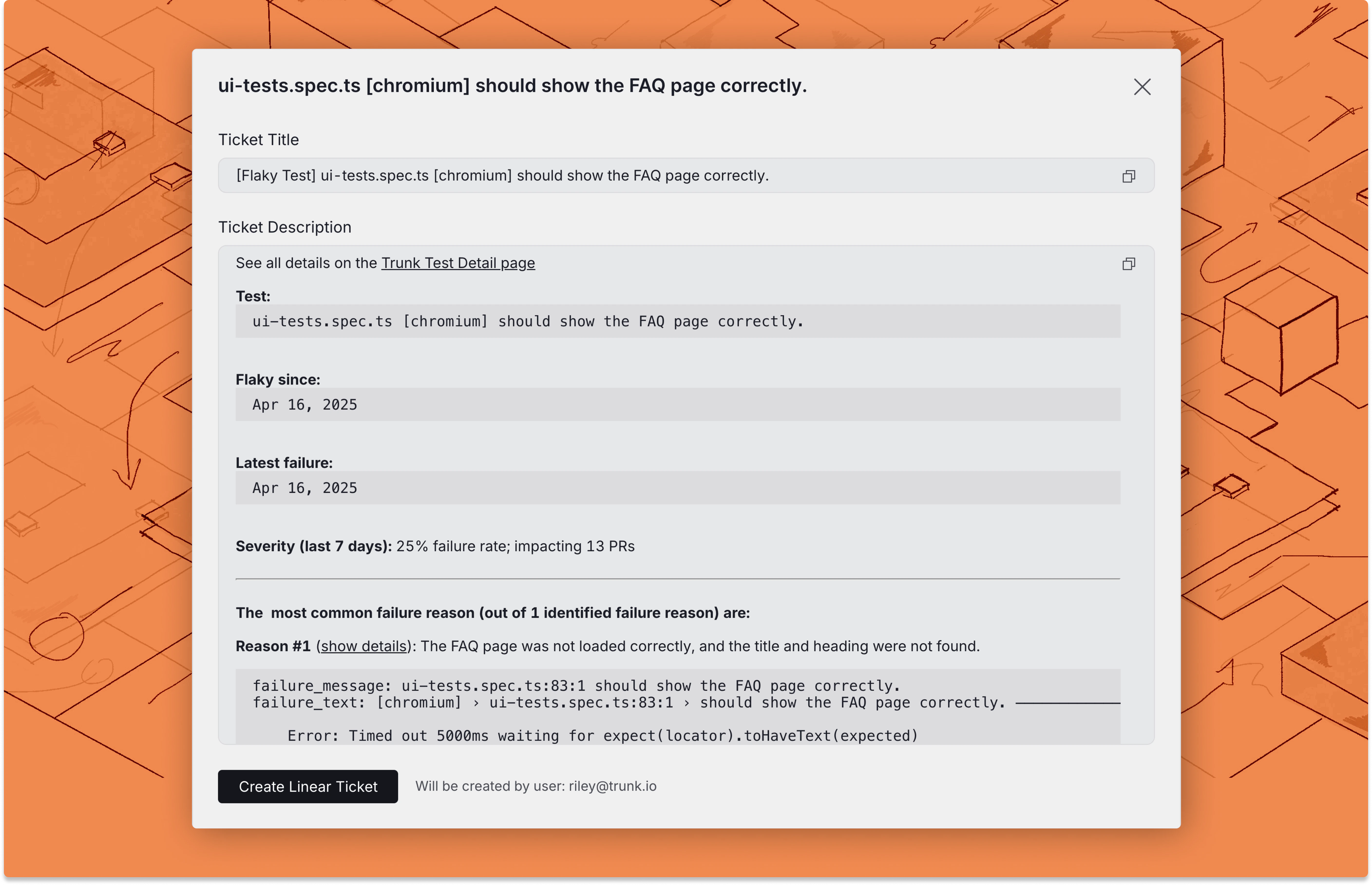
You will see a preview of the ticket title and description, and can click **Create Linear Ticket**
to create the new ticket.
Once the integration is set up, you can create a new ticket:
* In the **options menu** on the
[test cases overview dashboard](https://docs.trunk.io/flaky-tests/dashboard#test-cases-overview).
* With the **Create ticket** button on the test details dashboard.
You will see a preview of the ticket title and description, and can click **Create Linear Ticket**
to create the new ticket.
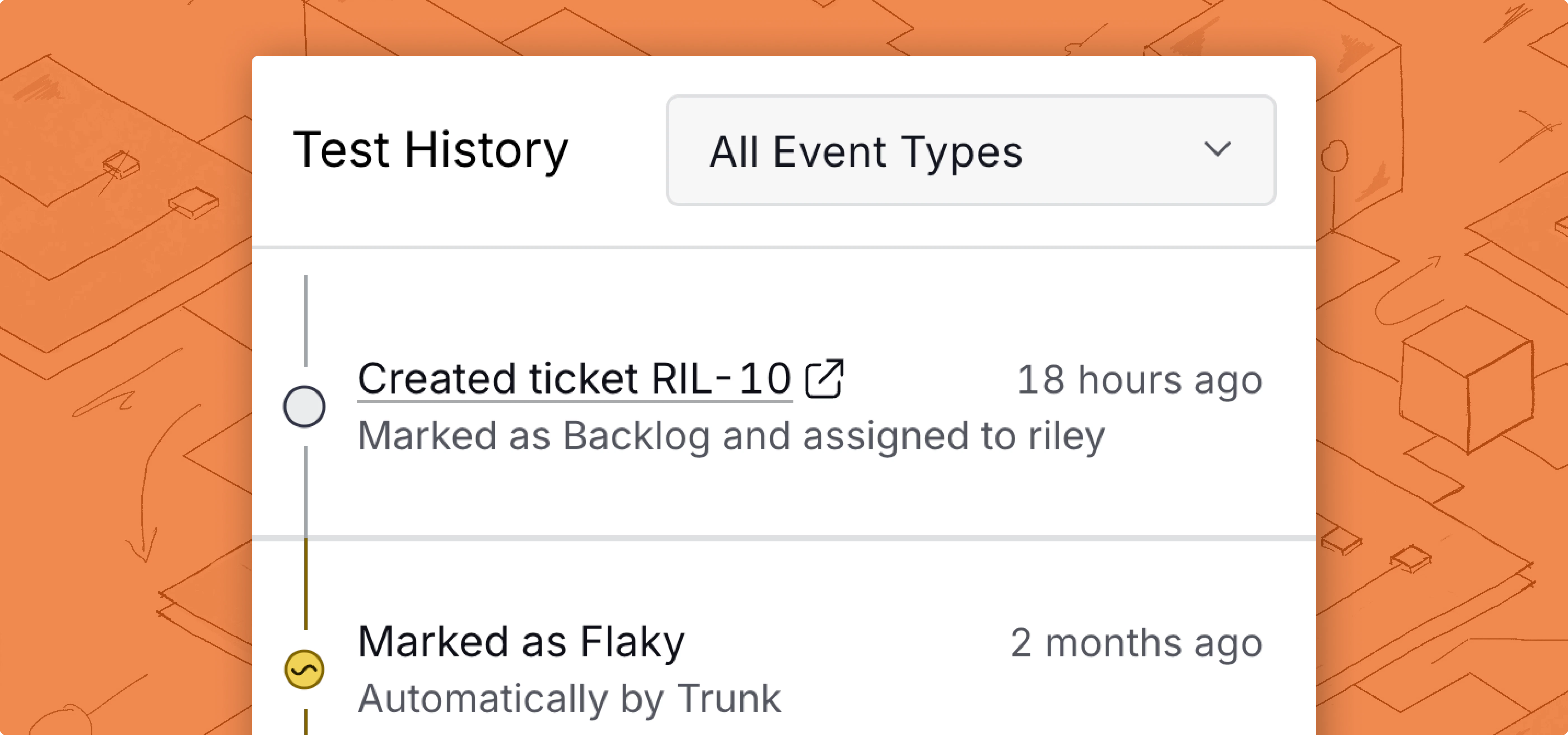
 When a ticket is created, any changes to that ticket, such as status or person assigned, are also
visible in the timeline on the test case details page in Flaky Tests.
When a ticket is created, any changes to that ticket, such as status or person assigned, are also
visible in the timeline on the test case details page in Flaky Tests.
 [Read the docs](https://docs.trunk.io/flaky-tests/ticketing-integrations/linear-integration) for
more information on setting up the Linear integration.
[Read the docs](https://docs.trunk.io/flaky-tests/ticketing-integrations/linear-integration) for
more information on setting up the Linear integration.