# Request fixes on PRs
When CI Autopilot identifies the root cause of a test failure, you can request an automatic fix as a stacked pull request. This creates a separate pull request with the proposed changes, keeping your base pull request clean while providing a ready-to-review solution.
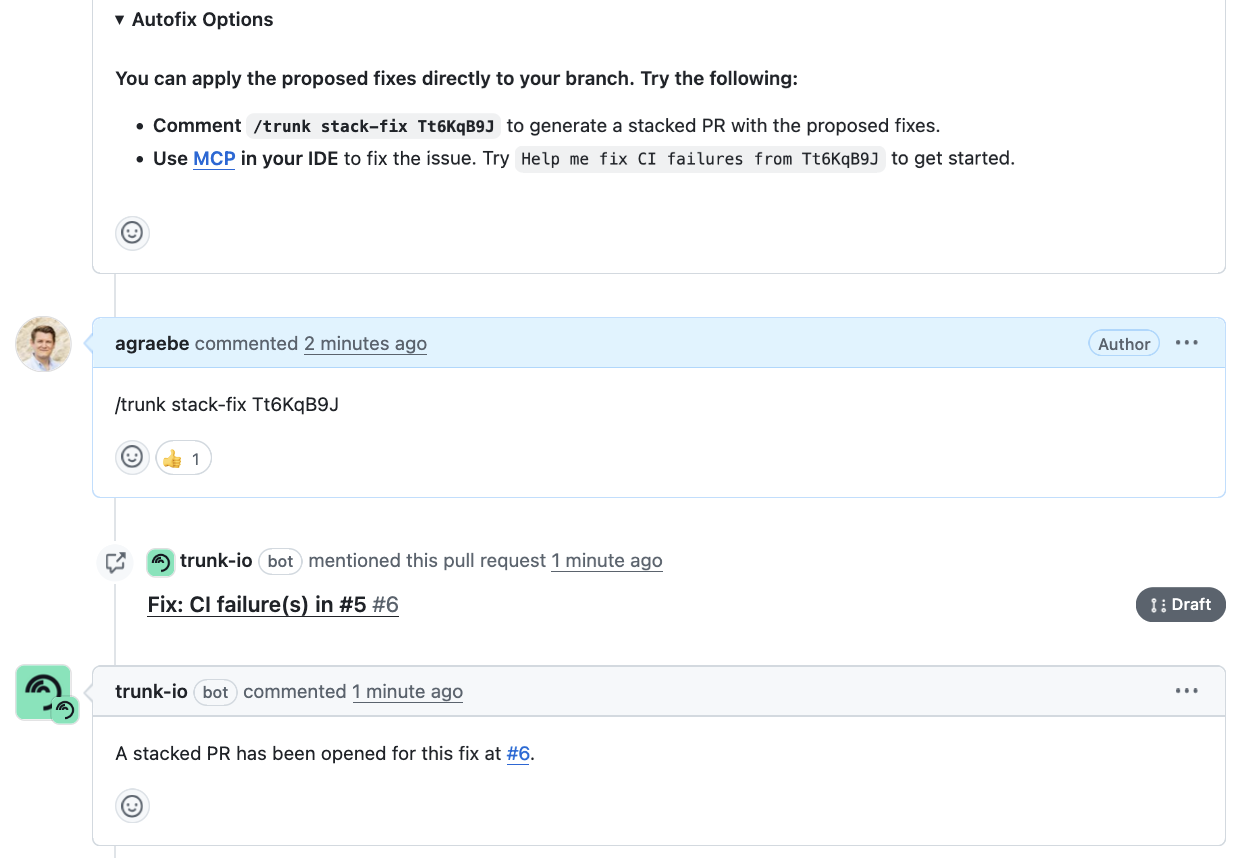
Pull request interactions for fix requests
{% hint style="info" %}
A stacked pull request is based on a fork of the base pull request branch. Suggested fixes are applied to the forked branch and submitted as a new pull request against the base pull request branch.
{% endhint %}
### Complete workflow
When using CI Autopilot to apply fixes on your pull requests, you will go through the following steps:
* [ ] Copy the fix command from the autofix section
* [ ] Comment: `/trunk stack-fix `
* [ ] Wait for the thumbs up confirmation and stacked PR creation
* [ ] Review the proposed changes, merge the stacked PR or apply changes manually
### Request a fix as a stacked pull request
Every pull request comment from the CI Autopilot will include instructions on how to request a fix. Look for the "Autofix Options" section:
The Autofix Options section in the CI Autopilot comment
To request a fix, simply comment on the pull request you want fixed by using the slash command:
```
/trunk stack-fix
```
{% hint style="info" %}
Pull requests can have multiple root causes. CI Autopilot requires a fix ID to understand which fix should be applied.
{% endhint %}
### What to expect after requesting a fix
As soon as the CI Autopilot receives the fix request, it will **upvote your comment** and work on the fix in the background. This process can take up to a few minutes.
As soon as the fix is created, **a new pull request will be created** in your repository. It will **reference the base pull request**, making it easy to navigate between the two.
### Experimental: Adding context to the fix
Adding context to a fix request
Sometimes, users want to provide additional context to the CI Autopilot so the fix complies with expectations, coding guidelines or team conventions. For example, users can request different variable names, methods, or implementation patterns. To accomplish that, just add your requests to the fix command:
```
/trunk stack-fix
```