> ## Documentation Index
> Fetch the complete documentation index at: https://docs.trunk.io/llms.txt
> Use this file to discover all available pages before exploring further.
# Migrate to Test Collections
> Move an existing organization from repository-based Flaky Tests to test collections, one CI job at a time.
[Test collections](../test-collections) replace repositories as the way Flaky Tests is organized. New organizations start on collections. If your organization has been using Flaky Tests already, you will need to gradually migrate to using collections, and both views stay available while you do.
Nothing breaks while you migrate. A CI job that doesn't pass a collection ID keeps uploading exactly as it does today.
## What changes
| | Repository-based | Collections |
| ------------------ | ----------------------------- | ------------------------------------------------------ |
| Where results land | Determined by your git remote | The collection ID you pass to the uploader |
| Flake detection | Monitors per repository | Monitors per collection |
| Quarantining | Settings per repository | Settings per collection |
| Ticketing | Integration per repository | Integrations per organization, selected per collection |
| Dashboards | Repository overview | Collection overview |
| History | Stays where it is | Starts at the collection's first upload |
## Both views, while you migrate
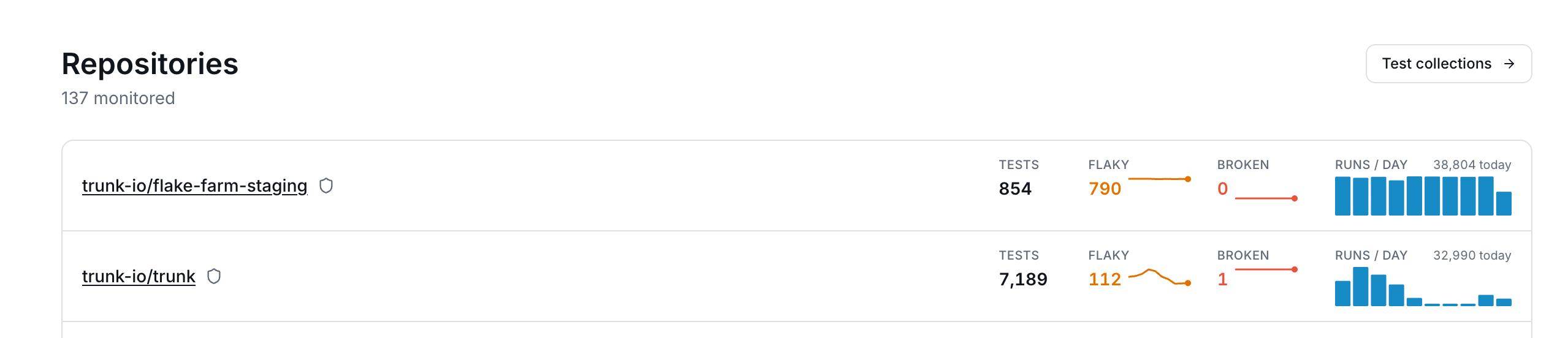
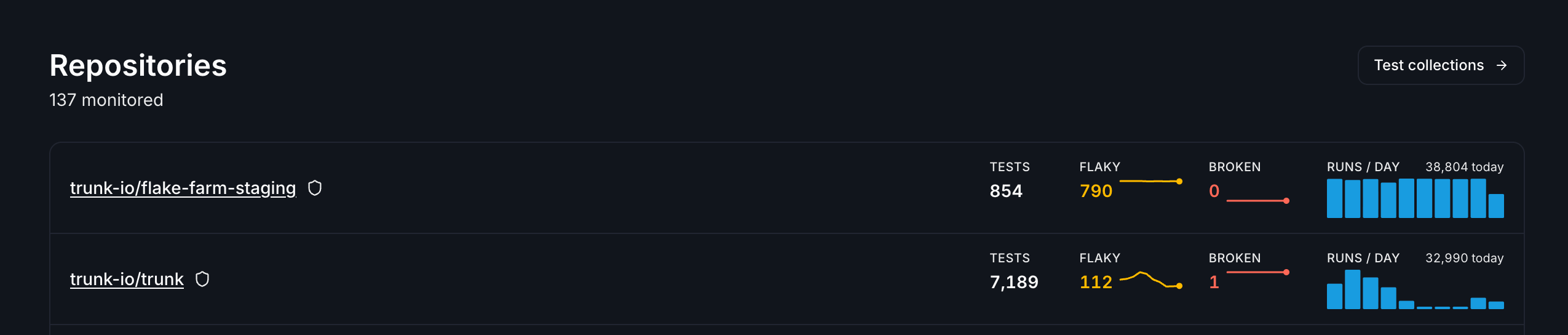
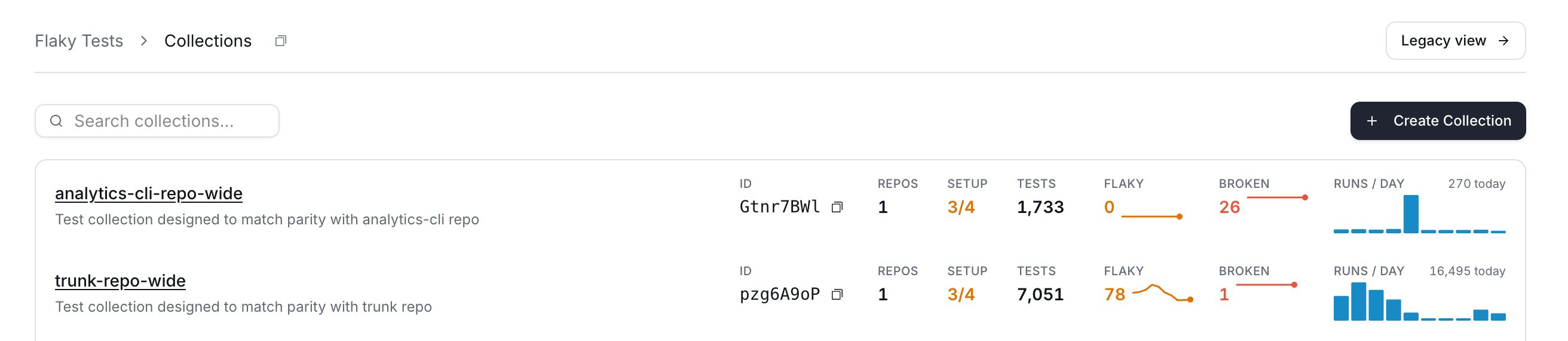
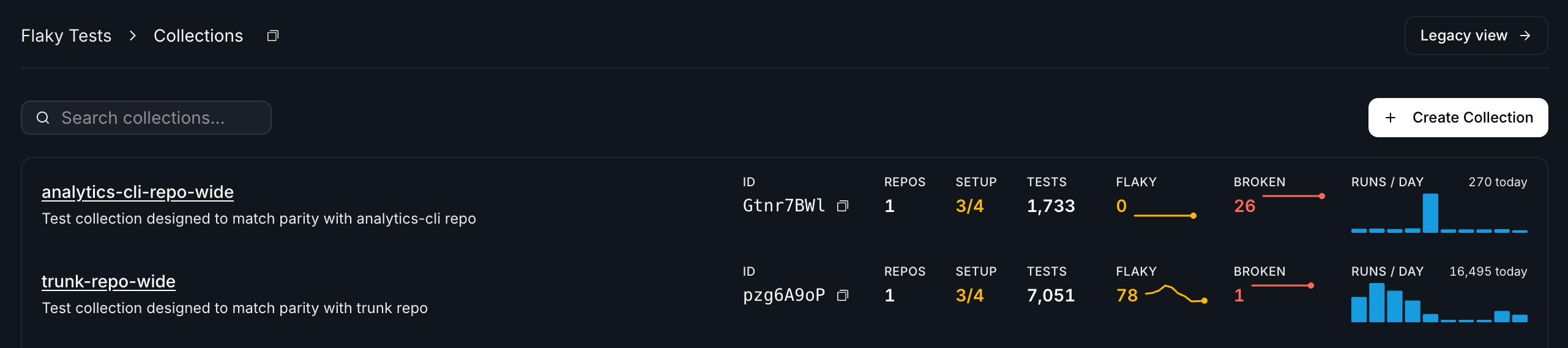
Flaky Tests opens on your test collections. To reach the repository view, click **Legacy view** on the collections list; to come back, click **Test collections** on the repository overview. Trunk remembers whichever you chose and opens there next time.
 ## Nothing carries over from your repositories
Monitors, quarantine overrides, ticketing configuration, and infrastructure-failure thresholds are all per-collection. A repository's configuration does not transfer to a collection, so anything you have tuned on a repository has to be set up again on the collection you want it on.
That is often what you want. You may wish to create different monitors for each collection, such as more sensitive flakiness detection for unit tests than for end-to-end tests.
## Migrate a CI job
Collections usually map to a team, a service, or a test suite. Group tests you want to configure and review together.
See [Create a collection](../test-collections#create-a-collection).
Add `--test-collection-id ` to the job's existing upload step, alongside the `--org-url-slug` it already passes. Start with one job rather than all of them.
Open the collection's **Uploads** tab. An upload appears as soon as Trunk accepts it, and fills in once the results are processed — so a bundle that contained no test results visibly stops at the first stage. The collection's **Tests** tab unlocks once test cases have been ingested.
Open the collection's **Monitors** tab and check the seeded defaults against what you run on the repository today. Adjust thresholds and branch patterns here rather than assuming the repository's carried over.
Quarantining is configured per collection, and enabling it replaces the repository's quarantining for every upload routed to that collection. Your repository's **Always Quarantine** and **Never Quarantine** overrides do not follow.
Overrides can only be set once quarantining is enabled on the collection, so re-apply the ones that matter as soon as you turn it on.
Move the rest of your CI jobs when you're ready. Uploads without a collection ID keep going to the repository view, so a partly-migrated organization is a normal state to sit in.
Enabling quarantining on a collection takes effect immediately, with no overrides in place. Between enabling it and re-applying your overrides, that collection's tests are governed by its own settings and nothing else — a test you had pinned to **Never Quarantine** on the repository is no longer pinned.
## Links in CI output
Once a job passes a collection ID, the links the CLI prints at the end of a run point at the collection. To keep the repository links while your team is still moving over, pass `--hide-test-collection-links` or set `TRUNK_HIDE_TEST_COLLECTION_LINKS`.
## Running both views at once
While a repository and a collection both have monitors covering the same tests, they detect independently. That's the point — it's how you compare the two before committing — but it means:
* A test can be flagged in both views, at different times, according to each one's thresholds.
* If you use webhooks, one detection can produce two events — see below.
## Webhooks while you migrate
Collection webhook events are **off by default while you are migrating**, and you switch them on from your organization's webhooks settings once your consumers are ready. The control appears only while you have both views, since that is the only time it changes anything — once you have fully migrated, collection events are simply sent.
It is one switch for every collection event, not one per event type. What you are asserting by turning it on is that your consumer handles collection payloads at all:
* A collection event carries a `test_collection` object. Repository events don't, and that is the only supported way to tell the two apart.
* **You cannot deduplicate on `test_case.id`.** Collection and repository events don't share a test-case ID space, so the same underlying test arrives under two unrelated IDs. `repository.id` is the only handle common to both.
* `repository` is omitted rather than guessed when an upload carries no repository.
Leave it off until your consumer is ready and nothing reaches it in the meantime. See [Webhooks](../webhooks/) for the payloads.
## Dashboards start fresh
Collections don't backfill. A collection's metrics begin at its first upload, so a correctly configured collection can still look empty for a day, and comparisons against a repository's history aren't meaningful until the collection has accumulated its own.
Your repository history stays where it is and isn't affected by migrating.
## Frequently asked questions
Collections don't backfill history — metrics start at the collection's first upload. If uploads are arriving and the dashboard is still empty, check the **Uploads** tab to confirm the results were processed and not just accepted.
Quarantining has to be enabled on the collection, and a test has to have been detected by one of the collection's monitors. Check both on the collection's **Settings** tab and **Monitors** tab.
Yes. Collections and repositories are many-to-many. A repository is part of a test's identity, but that test can be uploaded separately to multiple collections.
## Questions
Migrations turn up things docs don't cover. Ask us in [Slack](https://slack.trunk.io) or email [support@trunk.io](mailto:support@trunk.io).
## Nothing carries over from your repositories
Monitors, quarantine overrides, ticketing configuration, and infrastructure-failure thresholds are all per-collection. A repository's configuration does not transfer to a collection, so anything you have tuned on a repository has to be set up again on the collection you want it on.
That is often what you want. You may wish to create different monitors for each collection, such as more sensitive flakiness detection for unit tests than for end-to-end tests.
## Migrate a CI job
Collections usually map to a team, a service, or a test suite. Group tests you want to configure and review together.
See [Create a collection](../test-collections#create-a-collection).
Add `--test-collection-id ` to the job's existing upload step, alongside the `--org-url-slug` it already passes. Start with one job rather than all of them.
Open the collection's **Uploads** tab. An upload appears as soon as Trunk accepts it, and fills in once the results are processed — so a bundle that contained no test results visibly stops at the first stage. The collection's **Tests** tab unlocks once test cases have been ingested.
Open the collection's **Monitors** tab and check the seeded defaults against what you run on the repository today. Adjust thresholds and branch patterns here rather than assuming the repository's carried over.
Quarantining is configured per collection, and enabling it replaces the repository's quarantining for every upload routed to that collection. Your repository's **Always Quarantine** and **Never Quarantine** overrides do not follow.
Overrides can only be set once quarantining is enabled on the collection, so re-apply the ones that matter as soon as you turn it on.
Move the rest of your CI jobs when you're ready. Uploads without a collection ID keep going to the repository view, so a partly-migrated organization is a normal state to sit in.
Enabling quarantining on a collection takes effect immediately, with no overrides in place. Between enabling it and re-applying your overrides, that collection's tests are governed by its own settings and nothing else — a test you had pinned to **Never Quarantine** on the repository is no longer pinned.
## Links in CI output
Once a job passes a collection ID, the links the CLI prints at the end of a run point at the collection. To keep the repository links while your team is still moving over, pass `--hide-test-collection-links` or set `TRUNK_HIDE_TEST_COLLECTION_LINKS`.
## Running both views at once
While a repository and a collection both have monitors covering the same tests, they detect independently. That's the point — it's how you compare the two before committing — but it means:
* A test can be flagged in both views, at different times, according to each one's thresholds.
* If you use webhooks, one detection can produce two events — see below.
## Webhooks while you migrate
Collection webhook events are **off by default while you are migrating**, and you switch them on from your organization's webhooks settings once your consumers are ready. The control appears only while you have both views, since that is the only time it changes anything — once you have fully migrated, collection events are simply sent.
It is one switch for every collection event, not one per event type. What you are asserting by turning it on is that your consumer handles collection payloads at all:
* A collection event carries a `test_collection` object. Repository events don't, and that is the only supported way to tell the two apart.
* **You cannot deduplicate on `test_case.id`.** Collection and repository events don't share a test-case ID space, so the same underlying test arrives under two unrelated IDs. `repository.id` is the only handle common to both.
* `repository` is omitted rather than guessed when an upload carries no repository.
Leave it off until your consumer is ready and nothing reaches it in the meantime. See [Webhooks](../webhooks/) for the payloads.
## Dashboards start fresh
Collections don't backfill. A collection's metrics begin at its first upload, so a correctly configured collection can still look empty for a day, and comparisons against a repository's history aren't meaningful until the collection has accumulated its own.
Your repository history stays where it is and isn't affected by migrating.
## Frequently asked questions
Collections don't backfill history — metrics start at the collection's first upload. If uploads are arriving and the dashboard is still empty, check the **Uploads** tab to confirm the results were processed and not just accepted.
Quarantining has to be enabled on the collection, and a test has to have been detected by one of the collection's monitors. Check both on the collection's **Settings** tab and **Monitors** tab.
Yes. Collections and repositories are many-to-many. A repository is part of a test's identity, but that test can be uploaded separately to multiple collections.
## Questions
Migrations turn up things docs don't cover. Ask us in [Slack](https://slack.trunk.io) or email [support@trunk.io](mailto:support@trunk.io).