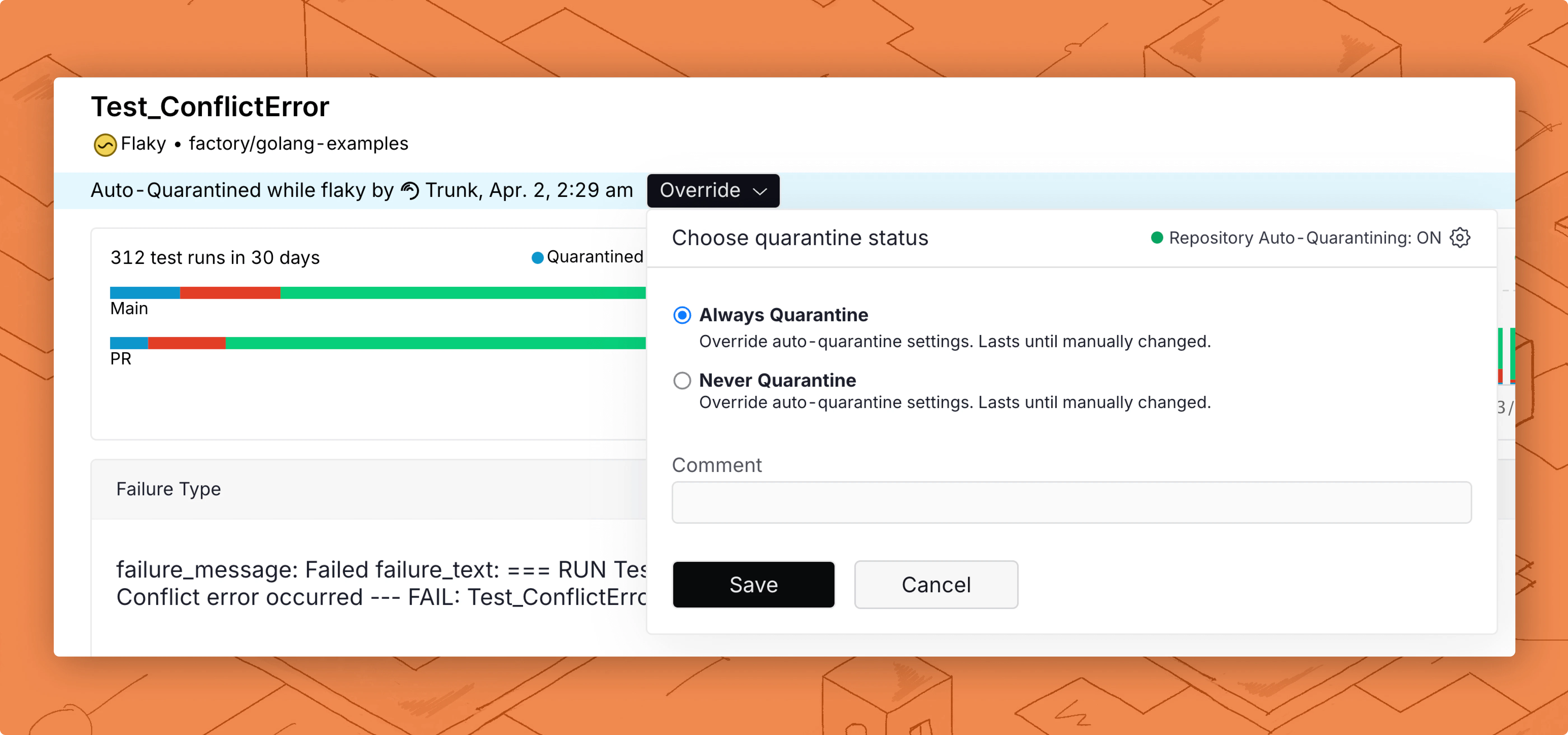
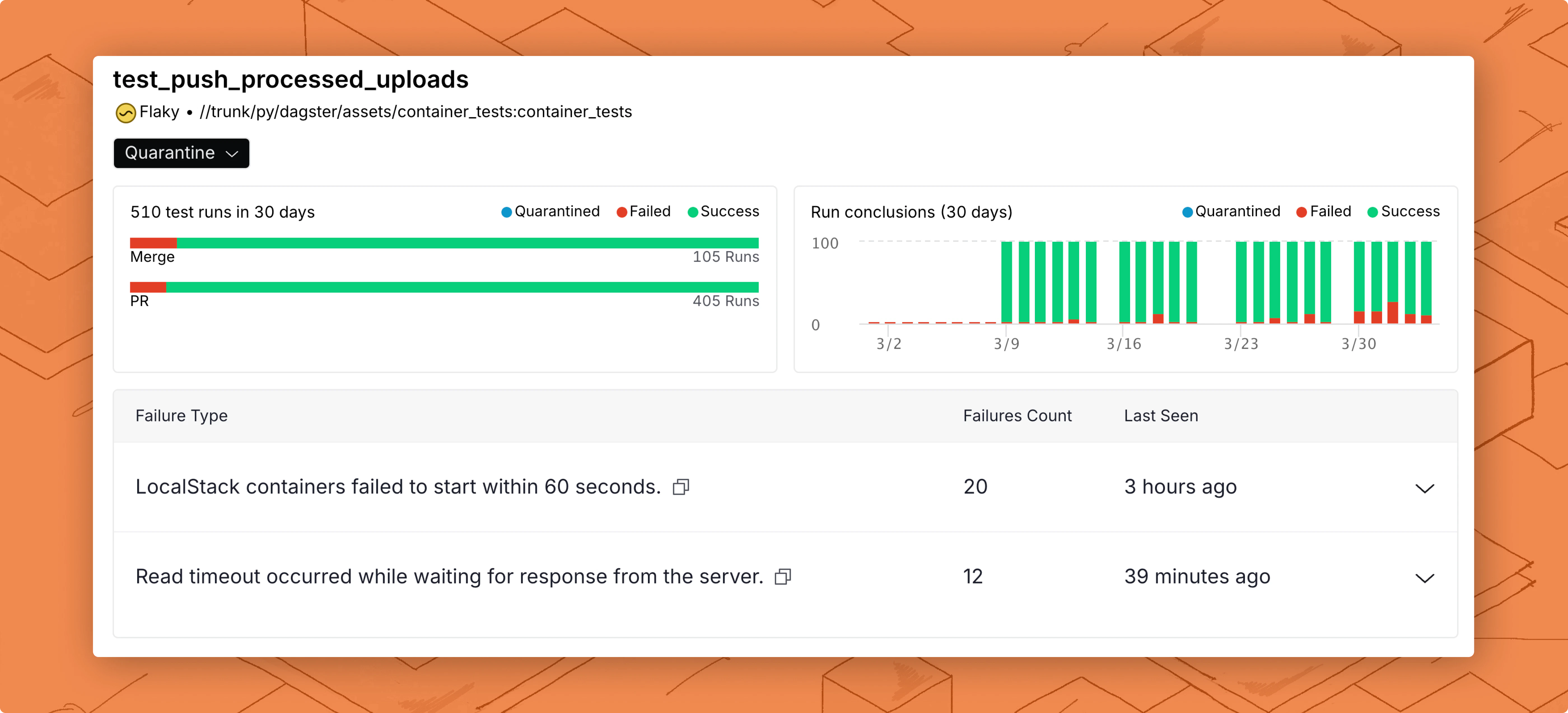
- A test’s current status.
- When a test was marked as flaky and quarantined.
- Test flake and failure rates on mainline and PR branches.
- Overall test health history.
- Grouped unique test failure reasons.
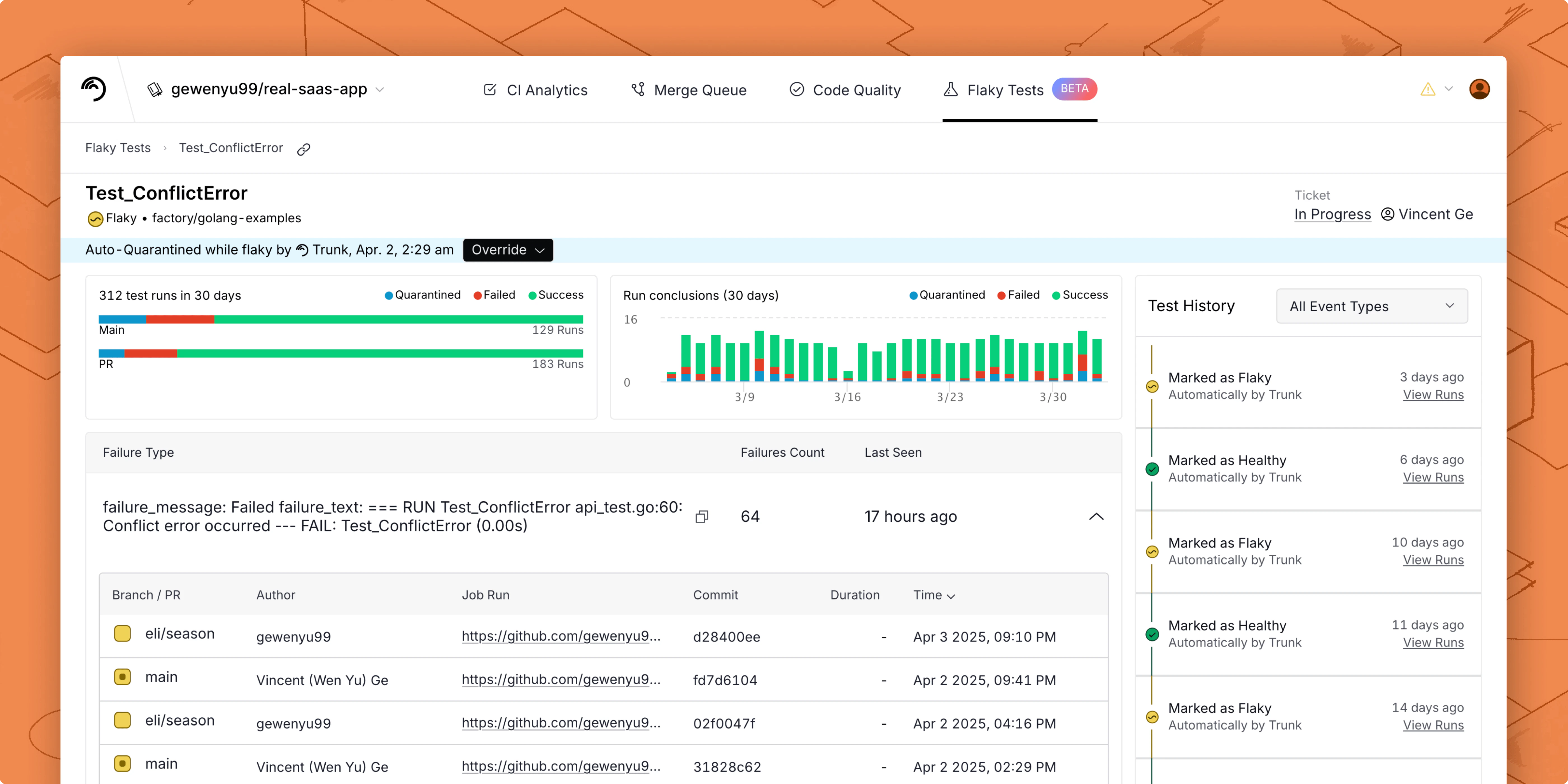
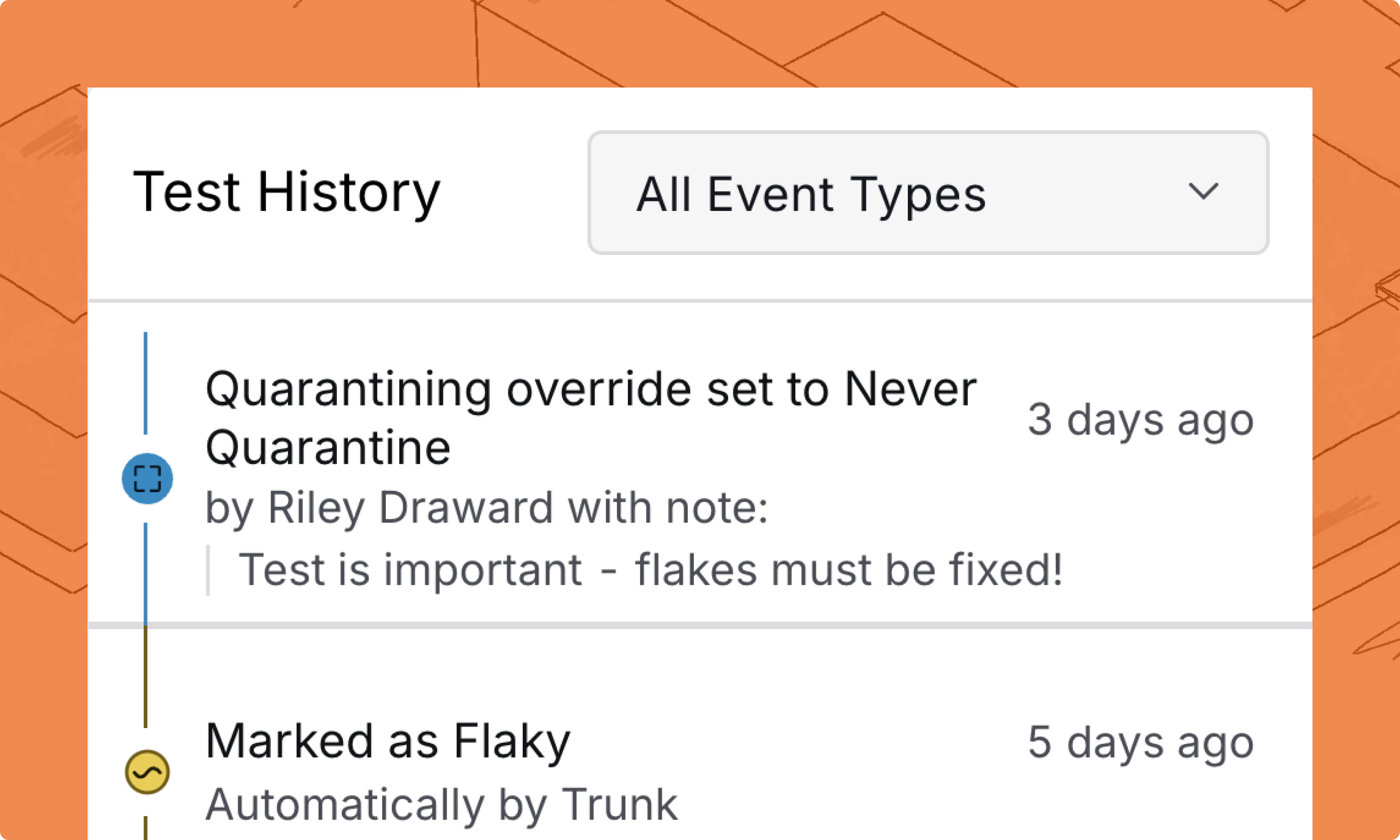
A more eventful test history timeline
The test history timeline has been moved to the main page, and updates, including when a test was marked as flaky, quarantined, or fixed, are always visible. Teams using the Jira integration to track test flakes will also see any updates to a flaky test’s ticket reflected in the timeline. You can still override the repo’s default quarantine setting and always quarantine or never quarantine a test, but now you can leave a comment for other devs that shows up in the timeline.