Dynamic CI is configured job by job on the Configuration tab in the Trunk web app. Each job has a schedule that controls how it is evaluated on pull requests and in the merge queue, plus optional path filters that tell Dynamic CI which changes are relevant to it.

Find a job

The Configuration tab lists every job managed by Dynamic CI across your repositories. Use the filters at the top to narrow the list:
  • Repositories: show jobs from one repository or all of them.
  • Workflows: show jobs from a specific workflow file, such as pr.yaml.
  • Search jobs: find a job by its name or ID.
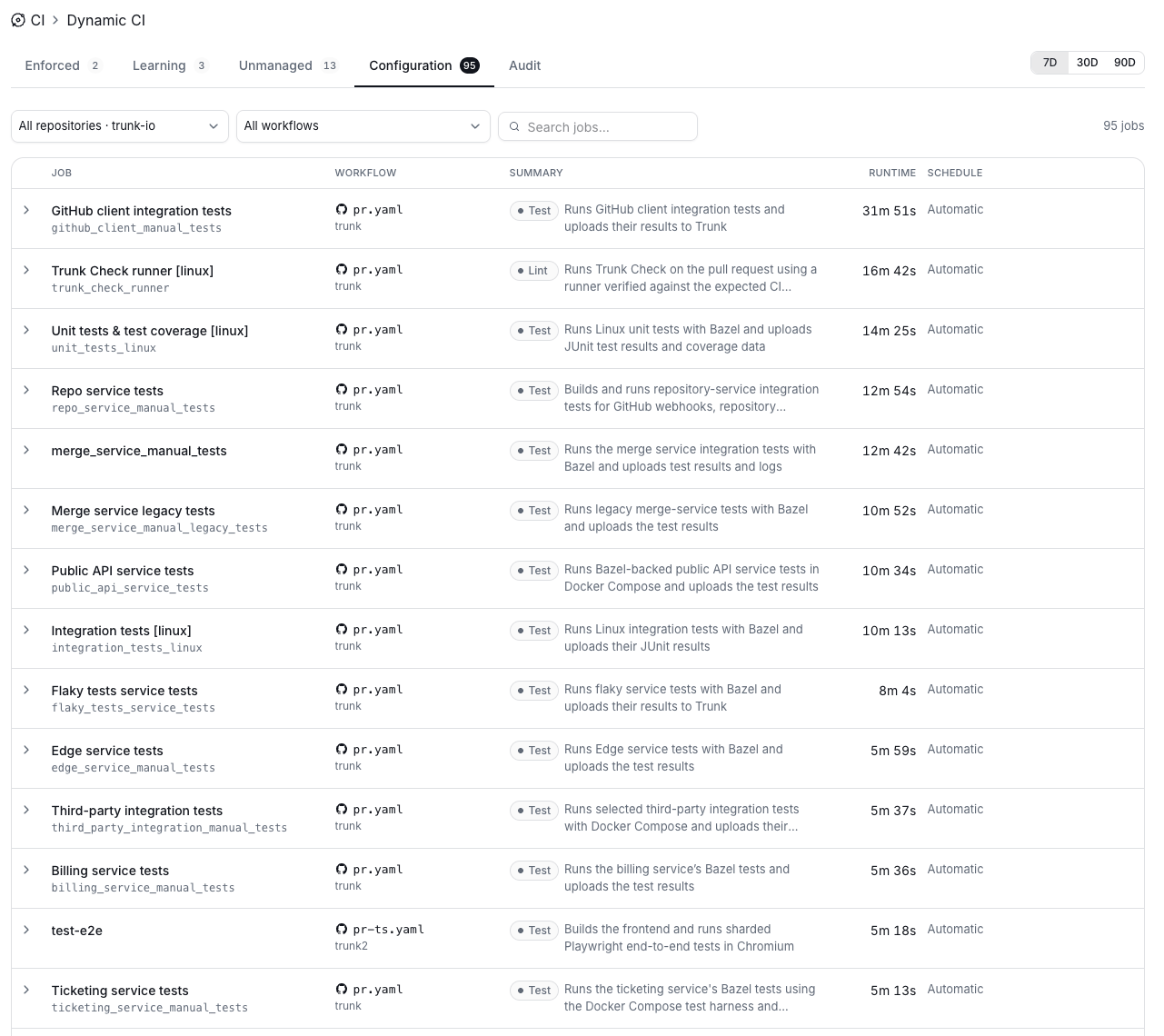
Each row shows the job’s workflow, a summary of what it does, its typical runtime, and its current schedule.
The Configuration tab in Dynamic CI, with repository and workflow filters, a job search box, and a list of jobs showing workflow, summary, runtime, and schedule.
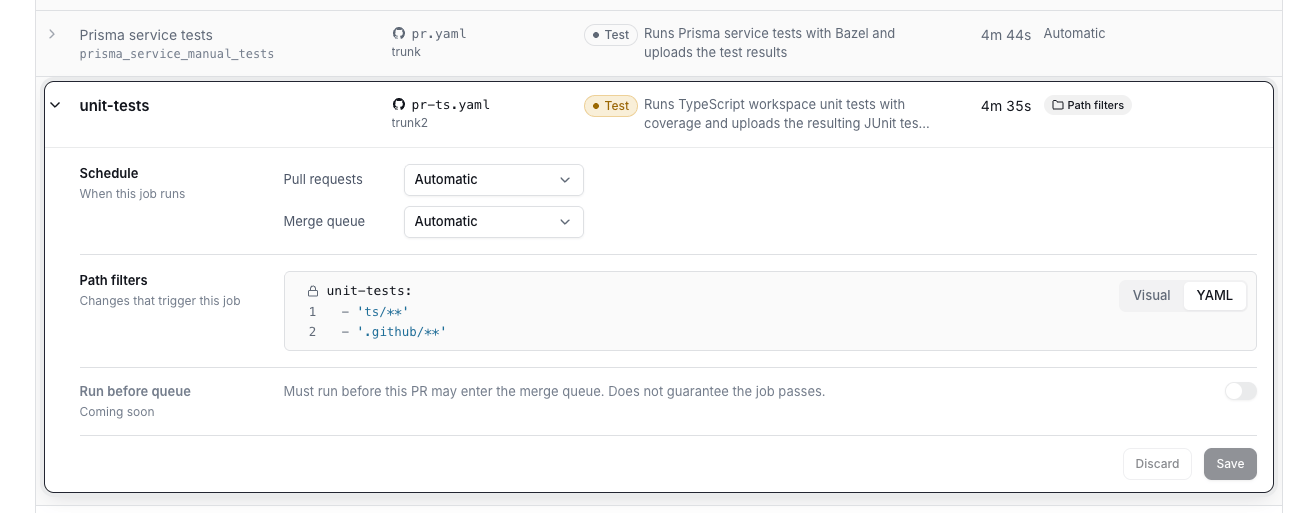
Click a job to expand its settings. After making changes, click Save to apply them or Discard to revert.
An expanded job in the Configuration tab showing Schedule settings for Pull requests and Merge queue, a Path filters editor in YAML view, and a Run before queue toggle marked Coming soon.

Schedule

The schedule controls how Dynamic CI evaluates a job. You set it separately for Pull requests and the Merge queue.
In the merge queue, Automatic runs every job by default to guarantee correctness. The merge queue is the final safeguard against regressions, so Dynamic CI does not skip jobs there on its own.

Path filters

Path filters describe which changed files are relevant to a job. They use the same glob syntax as dorny/paths-filter: the job’s name followed by a list of patterns.
You can edit filters in the Visual editor or switch to YAML. By default, path filters are another signal into the scoring engine rather than a hard rule. A change that matches a job’s filters makes the engine more likely to run it, and a change that touches none of them makes a skip more likely, but the engine still weighs the job’s history and the pull request’s state before deciding. Jobs with path filters show a Path filters badge in the job list.

Run before queue

Coming soon. When enabled, the job must run before the pull request can enter the merge queue. This guarantees the job runs, not that it passes.

Force jobs to run

Override Dynamic CI on a single pull request.

Merge queues

How Dynamic CI behaves on merge queue runs.