

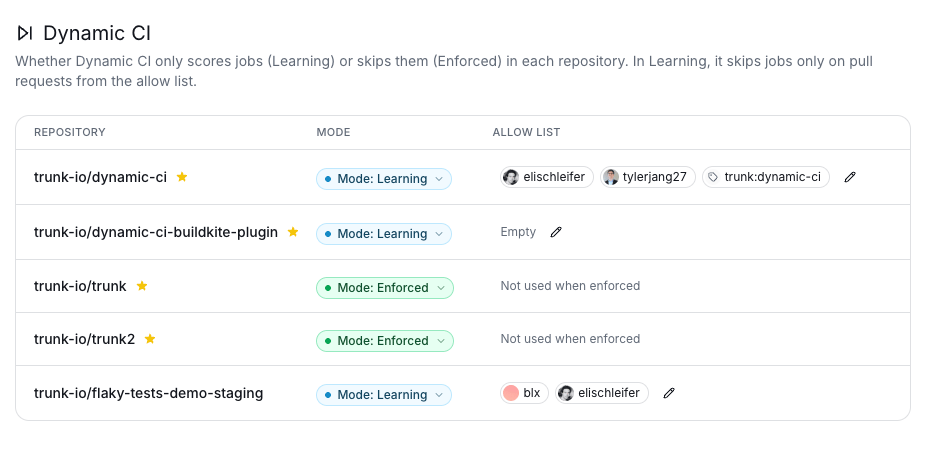
Modes
To change a repository’s mode, pick Learning or Enforced from the Mode dropdown in its row.
Allow list
In Learning mode, use the allow list to have Dynamic CI enforced on selected pull requests while the rest of the repository keeps running every job. A pull request is enforced if it matches either kind of entry:- Engineers: pull requests opened by these GitHub users.
- GitHub labels: pull requests that have this label, for example
trunk:dynamic-ci.
The allow list only applies in Learning mode. In Enforced mode it is ignored, and the column shows Not used when enforced.
Suggested rollout
1
Start in Learning mode
Leave the repository in Learning mode so the scoring engine can learn from your CI history without skipping any jobs.
2
Add a few early adopters
Add a few engineers to the allow list, or add a label such as
trunk:dynamic-ci that anyone can put on a pull request to opt in.3
Widen the allow list
Add more engineers and labels as your team gains confidence in which jobs Dynamic CI skips.
4
Switch to Enforced
Set the repository to Enforced to apply Dynamic CI to every pull request.