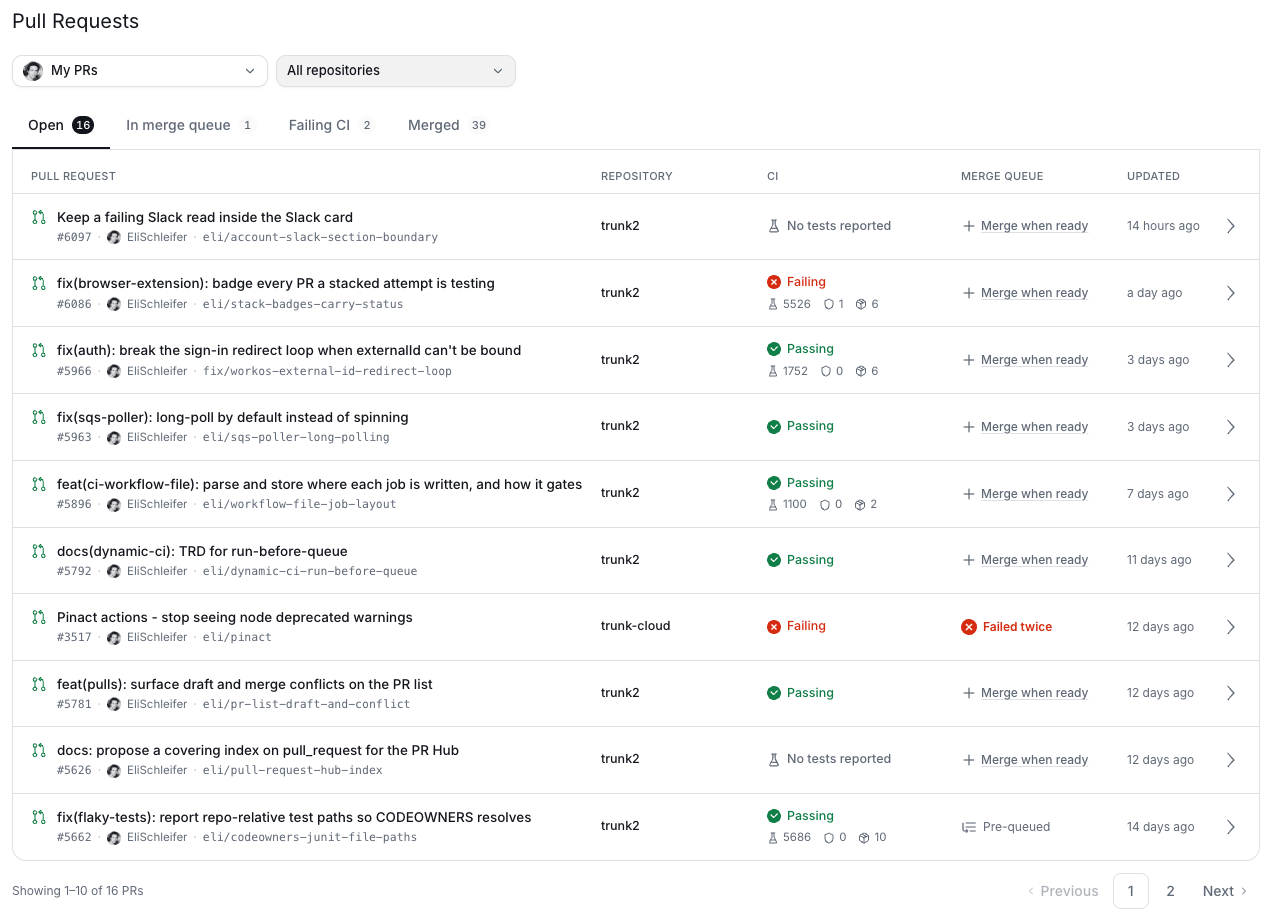
Open the Pull Requests tab in the Trunk app for a cross-repository list of your organization’s open pull requests, and a detail view of any one of them.

The list

The Pull Requests list, showing open pull requests across repositories with their CI state

The detail view

From the pull request detail view you can see each change that has been committed to a pull request. The jobs that passed/failed and the waterfall of the job executions.
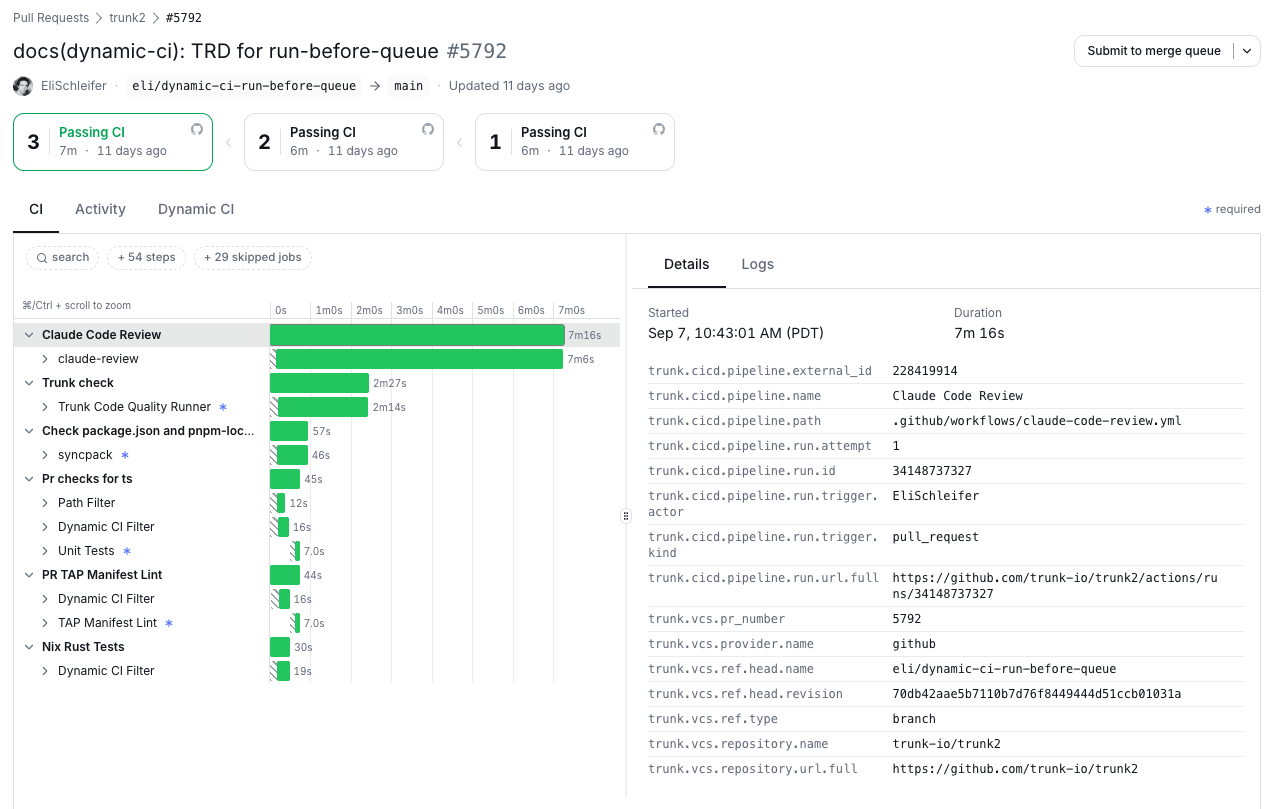
The pull request detail view, with the attempt picker above a waterfall of every job that ran on the selected commit

The attempt picker

Each commit is shown in the attempt picker at the top which tracks the status of the pull request as it was updated. For customers using the Test Intelligence feature - jobs that passed because of quarantining are called out with an asterisk. Indicating the overall workflow would have failed without quarantining.

CI

The default tab presents a waterfall of all jobs run on that commit. This is the tab to explain what ran and why is this pull request blocked.

Activity

Two lanes, for “what is red” and “what do I do about it”. CI - on the left — lists every check reported on the commit, with the required ones marked. Filter pills narrow it by state; a job red because of test failures links across to the other lane rather than counting twice. Needs Attention — on the right — lists only what a reviewer has to act on: failing jobs, failing tests, and quarantined tests. Passing tests are deliberately absent. It is scoped to required jobs by default, with a + N non-required toggle for the rest. A failing job here carries a re-run button that re-runs that one job. A job re-running after a failure is badged retrying after failure, so a spinner is distinguishable from a first attempt.