

investigate-ci-failure tool takes a GitHub Actions run URL and returns each failed test with its error message, leaving out the tests Trunk has quarantined.
This recipe sets up a Cursor Automation that runs when CI completes, investigates the failure with Trunk, and opens a pull request with the fix. It extends Cursor’s CI Autofix template.
Before you begin
- Your repository uploads test results to Trunk.
- Quarantining is on, so the agent skips failures from known flaky tests.
- You have your organization API token, from Settings → Developer → API Keys, in the Organization API token (v1) section.
1. Connect Trunk’s MCP server
In Cursor, add Trunk’s MCP server astrunk, with bearer authentication and your organization API token. A cloud automation can’t complete an interactive login, so it needs the token.
2. Create the automation
Create an automation from Cursor’s CI Autofix template, and add thetrunk MCP server to its actions.
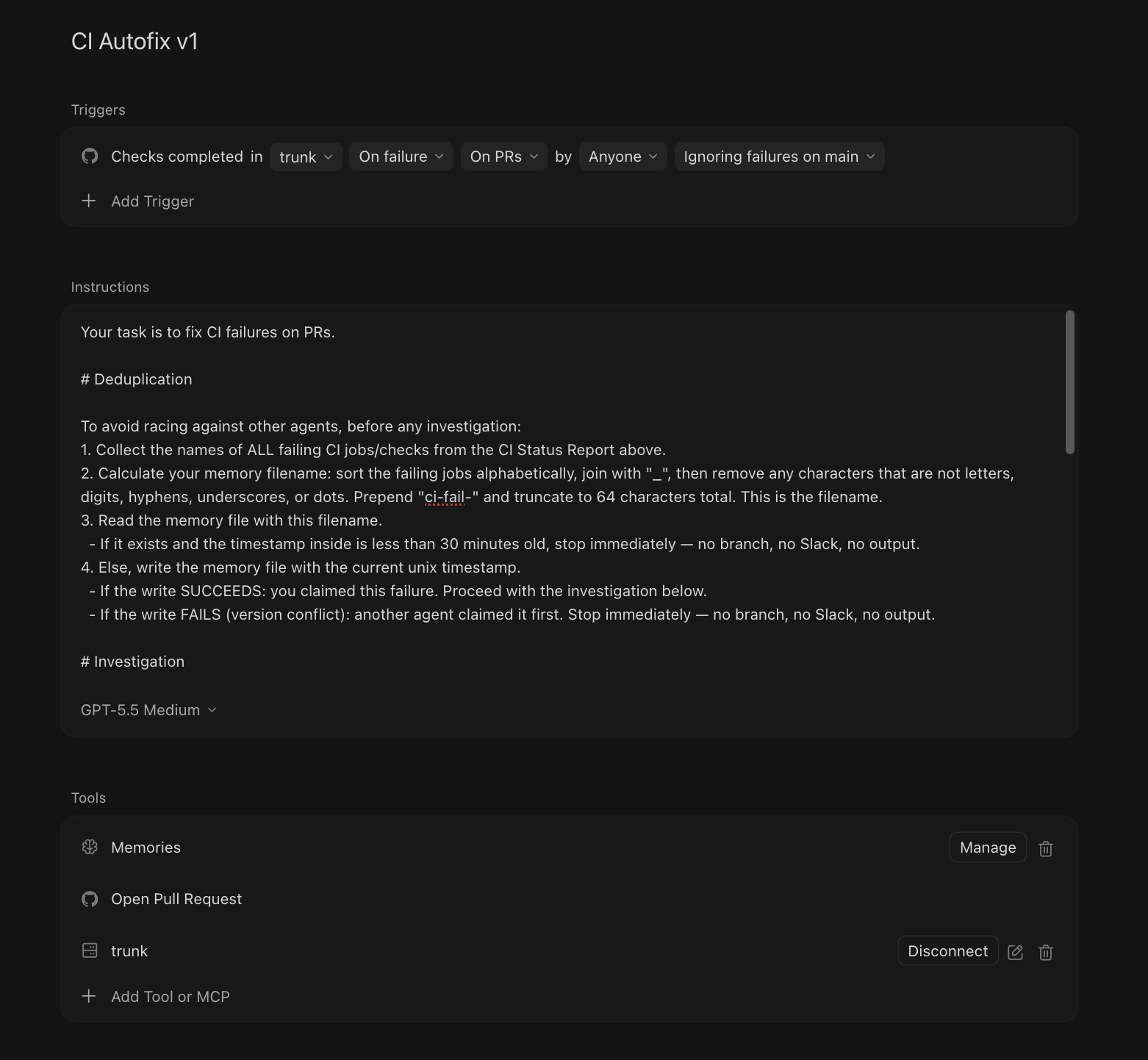
investigate-ci-failure with the run’s URL. Replace <repo> with your repository:
CI Autofix automation
Cursor opens the fix with
main as its base. To merge the fix into the failing pull request instead, change the fix’s base branch to that pull request’s branch.3. Tune the prompt
- Describe your repository’s conventions and its common failure patterns, so the agent’s fixes match how your team works.
- Keep the agent on
investigate-ci-failureand off the raw CI logs unless it needs them. The logs cost more time and tokens. - Put a version in the automation’s name, such as
CI Autofix v2, so you can tell which prompt opened a pull request.
Related
investigate-ci-failure. What the MCP tool returns, and its errors.- Fix Flaky Tests. Fix a test once Trunk detects it as flaky, rather than when one run fails.
- Explain a Failed Pull Request. Tell a pull request’s author which failures are probably theirs.