# Billing and plans

Trunk offers a **Free**, **Team**, and **Enterprise** plan for access to any/all of our features. The team plan is available for organizations of up to 50 active committers.

## Plans

### **Free plan**

Trunk offers a free tier for small teams and open-source projects to experiment with each of our features. You can use Trunk at no cost if:

* You have 5 or fewer monthly active committers on private repositories, **and**
* Your monthly test span usage is under 5 million

Public repositories are always free for up to 5 million test spans per month.

If you exceed these limits, you'll be prompted to upgrade based on the number of private committers and additional test span usage.

Similar to [calculating user counts](#calculating-user-counts), our free tier limits are calculated based on a 30-day rolling window.

<table><thead><tr><th width="155">Feature</th><th width="257">Metric</th><th>Free Tier Limit</th></tr></thead><tbody><tr><td>All</td><td>Users</td><td>Up to 5 private repo committers; unlimited on public repos</td></tr><tr><td>Flaky Tests</td><td>Number of <a data-footnote-ref href="#user-content-fn-1">test spans</a></td><td>5 committers and 5M test spans per month</td></tr><tr><td>Merge Queue</td><td>PRs merged per month</td><td>Unlimited usage; pricing begins if >5 private repo committers</td></tr><tr><td>Code Quality</td><td>Quality &#x26; security metrics</td><td>Unlimited usage</td></tr></tbody></table>

### Team plan

Trunk Team Plans offers a monthly subscription plan using a per-seat model. At the end of every billing period, we calculate the number of users using Trunk and update the next month’s invoice to reflect the latest user count. Each seat has access to all of Trunk's features.

<table><thead><tr><th width="155">Feature</th><th width="257">Metric</th><th>Limits</th></tr></thead><tbody><tr><td>Code Quality</td><td>Quality &#x26; security metrics</td><td>Unlimited</td></tr><tr><td>Merge Queue</td><td>PRs merged per month</td><td>Unlimited</td></tr><tr><td>Flaky Tests</td><td>Number of <a data-footnote-ref href="#user-content-fn-1">test spans</a></td><td><p>1 million test spans per seat per month.</p><p>$3 for each additional 1 million test spans.</p></td></tr></tbody></table>

### **Enterprise plan**

Trunk Enterprise offers powerful admin controls, dedicated support, access to custom billing or terms, and features like SSO. If your team is interested in an enterprise plan, please contact <sales@trunk.io>.

**Trials**

You and your team can trial Trunk before signing up for an Enterprise or Team plan. To try Trunk, please contact <sales@trunk.io>. To extend or cancel the trial, please contact <sales@trunk.io>.

### Calculating user counts

A user is a non-bot user who has made a commit to a private repo with Trunk enabled in the last 30 days. Specifically, we look at their username; if someone changes their username on Git, *we would consider that a separate user*. We do not count contributions to public (open source) repos. Contributor counts are displayed on **Settings** > **Billing**.

{% hint style="info" %}
Trunk requires the [Trunk GitHub App](https://github.com/apps/trunk-io) to be installed in your repo to count seats.
{% endhint %}

For example, consider Alice, Bob, and Charlie are all in the same organization, which owns two private repos: `abc/repo1` and `abc/repo2`. Given the following timeline of events:

| Day 1                              | Day 15                           | Day 22                               |
| ---------------------------------- | -------------------------------- | ------------------------------------ |
| Alice commits code to `abc/repo1`. | Bob commits code to `abc/repo2`. | Charlie commits code to `abc/repo1`. |

On Day 1, the user count would be **one**: just Alice.\
On Day 15, the user count would be **two**: Alice and Bob, since the same organization owns both private repos.\
On Day 22, the user count would be **three**: Alice, Bob, and Charlie.\
On Day 30, the user count would be **three**. We consider days 1 through 30 (inclusive), which include Alice's, Bob's, and Charlie's commits.\
On Day 31, the user count would be **two**. We consider days 2 through 31 (inclusive), which only includes Bob's and Charlie's commits.

### Calculating an invoice

At the end of every billing cycle, Trunk calculates what the next invoice should be. Trunk determines feature usage and the number of seats used over the [free tier usage limits](#free-plans-and-trials) . See our section on [calculating user counts](#calculating-user-counts) to determine how much we charge per feature usage.

### Editing payment details

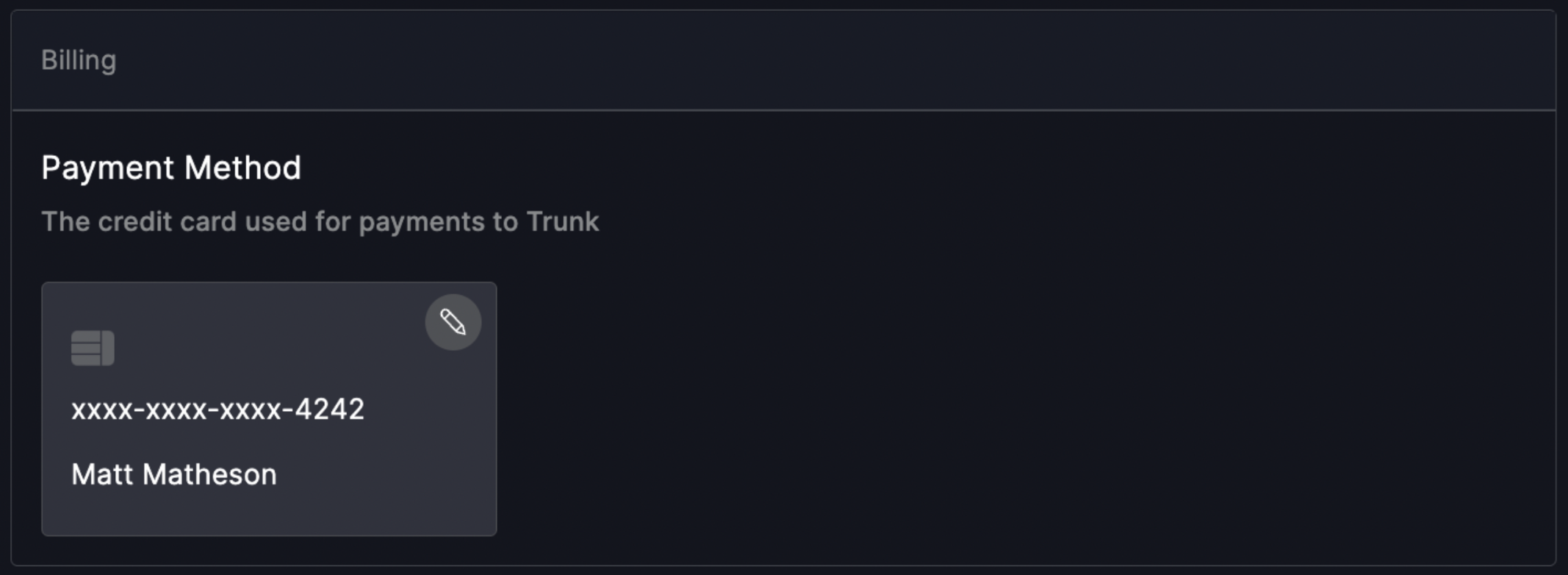
You can edit your payment details by navigating to **Settings** > **Billing** and clicking on the pencil icon on the credit card. Trunk accepts both credit card and ACH; if you require a different payment method, please contact us at <sales@trunk.io>.

![](https://files.readme.io/d7adf4f-Screen_Shot_2023-01-17_at_8.08.17_PM.png)

### Cancelling a plan

You can cancel an active Trunk subscription by navigating to **Settings** > **Billing** and clicking the **Cancel Subscription** button. Your plan will transition back into the [free tier](#free-plans-and-trials); if you want to re-enable this plan, please contact us at <sales@trunk.io>.

{% hint style="info" %}
Cancelling a Trunk Plan and then re-enabling it will degrade the product experience and may lose data. Please contact us at <sales@trunk.io> to re-enable any canceled plan.
{% endhint %}

### A note on security

Your security is important to us. We do not store your credit card information anywhere in our systems. Online payments are processed using Stripe, which is PCI-compliant in accordance with industry standards.

[^1]: The number of test case results uploaded.


---

# Agent Instructions: Querying This Documentation

If you need additional information that is not directly available in this page, you can query the documentation dynamically by asking a question.

Perform an HTTP GET request on the current page URL with the `ask` query parameter:

```
GET https://docs.trunk.io/setup-and-administration/billing.md?ask=<question>
```

The question should be specific, self-contained, and written in natural language.
The response will contain a direct answer to the question and relevant excerpts and sources from the documentation.

Use this mechanism when the answer is not explicitly present in the current page, you need clarification or additional context, or you want to retrieve related documentation sections.