# Vitest

You can automatically [detect and manage flaky tests](https://docs.trunk.io/flaky-tests/detection) in your Vitest projects by integrating with Trunk. This document explains how to configure Vitest to output JUnit XML reports that can be uploaded to Trunk for analysis.

### Checklist

By the end of this guide, you should achieve the following before proceeding to the [next steps](#next-step) to configure your CI provider.

* [ ] Generate a compatible test report
* [ ] Configure the report file path or glob
* [ ] Disable retries for better detection accuracy
* [ ] Test uploads locally

After correctly generating reports following the above steps, you'll be ready to move on to the next steps to [configure uploads in CI](https://docs.trunk.io/flaky-tests/get-started/ci-providers).

### Generating Reports

Trunk detects flaky tests by analyzing test results automatically uploaded from your CI jobs. You can do this by generating Trunk-compatible XML reports from your test runs.

You can configure Vitest to produce a Trunk-compatible JUnitXML report by updating your `vitest.config.ts`.

{% code title="vitest.config.ts" %}

```javascript
import { defineConfig } from 'vitest/config';

export default defineConfig({
  test: {
    reporters: [
      ['junit', { outputFile: './junit.xml', addFileAttribute: true }],
    ],
  },
});
```

{% endcode %}

{% hint style="warning" %}
**Important**: The `addFileAttribute: true` option is required for the JUnit report to pass `trunk-analytics-cli` validation. This option adds file path information to each test case in the XML output, which Trunk uses to associate test results with source files.
{% endhint %}

#### Report File Path

The `outputFile: './junit.xml'` option specifies the path of the JUnit report. You'll need this path later when configuring automatic uploads to Trunk.

#### Disable Retries

You need to disable automatic retries if you previously enabled them. Retries compromise the accurate detection of flaky tests. You should disable retries for accurate detection and use the [Quarantining](https://docs.trunk.io/flaky-tests/quarantining) feature to stop flaky tests from failing your CI jobs.

If you've enabled retries, you can disable them following the [Vitest docs](https://vitest.dev/api/) for more accurate results.

{% hint style="info" %}
**Note**: Configuration errors can sometimes mask themselves as consistent test failures. If you're seeing file-level test entries instead of individual test cases, resolve configuration issues first before adjusting retry settings. A properly configured test suite should show individual test case names in the JUnit output, not file names.
{% endhint %}

### Troubleshooting

**Configuration Errors and File-Level Test Failures**

**Issue**: You might see Trunk identifying flaky tests with names that match your test file names (e.g., `auth.test.ts` instead of `should login successfully`) rather than individual test case names.

**Root Cause**: This typically occurs when Vitest encounters configuration errors that prevent it from properly parsing or running the tests in a file. Common scenarios include:

* TypeScript configuration errors in `tsconfig.json`
* Missing dependencies or import resolution failures
* Syntax errors in test setup files
* Invalid Vitest configuration options

**What Happens**: When Vitest cannot execute the individual tests within a file due to configuration issues, it generates a single JUnit test case entry named after the file itself, regardless of how many actual test cases exist in that file.

**How to Diagnose**:

1. Run your tests locally with verbose output: `vitest --reporter=verbose`
2. Check for configuration warnings or errors in the test output
3. Look for test files that show as single entries in your JUnit report when they should contain multiple test cases

**How to Fix**:

1. **Check TypeScript Configuration**: Ensure your `tsconfig.json` is valid and includes all necessary paths
2. **Verify Dependencies**: Make sure all imported modules are properly installed and accessible
3. **Review Setup Files**: Check any test setup files referenced in your Vitest config for errors
4. **Validate Vitest Config**: Make sure your `vitest.config.ts` doesn't contain invalid options

### Try It Locally

#### Validate Test Execution First

Before validating your JUnit reports with Trunk, make sure Vitest can properly execute your tests:

```bash
# Run tests with detailed output to catch configuration issues
vitest run --reporter=verbose

# Check that individual test cases appear in output, not just file names
vitest run --reporter=json | jq '.testResults[].assertionResults'
```

If you see test files listed as single entries rather than individual test cases, you likely have configuration issues that need to be resolved before proceeding.

You can validate your test reports using the [Trunk Analytics CLI](https://docs.trunk.io/flaky-tests/uploader). If you don't have it installed already, you can install and run the `validate` command like this:

#### **The Validate Command**

{% tabs %}
{% tab title="Linux (x64)" %}

```bash
SKU="trunk-analytics-cli-x86_64-unknown-linux.tar.gz"
curl -fL --retry 3 \
  "https://github.com/trunk-io/analytics-cli/releases/latest/download/${SKU}" \
  | tar -xz

chmod +x trunk-analytics-cli
./trunk-analytics-cli validate --junit-paths "./junit.xml"
```

{% endtab %}

{% tab title="Linux (arm64)" %}

```bash
SKU="trunk-analytics-cli-aarch64-unknown-linux.tar.gz"
curl -fL --retry 3 \
  "https://github.com/trunk-io/analytics-cli/releases/latest/download/${SKU}" \
  | tar -xz

chmod +x trunk-analytics-cli
./trunk-analytics-cli validate --junit-paths "./junit.xml"
```

{% endtab %}

{% tab title="macOS (arm64)" %}

```bash
SKU="trunk-analytics-cli-aarch64-apple-darwin.tar.gz"
curl -fL --retry 3 \
  "https://github.com/trunk-io/analytics-cli/releases/latest/download/${SKU}" \
  | tar -xz

chmod +x trunk-analytics-cli
./trunk-analytics-cli validate --junit-paths "./junit.xml"
```

{% endtab %}

{% tab title="macOS (x64)" %}

```bash
SKU="trunk-analytics-cli-x86_64-apple-darwin.tar.gz"
curl -fL --retry 3 \
  "https://github.com/trunk-io/analytics-cli/releases/latest/download/${SKU}" \
  | tar -xz

chmod +x trunk-analytics-cli
./trunk-analytics-cli validate --junit-paths "./junit.xml"
```

{% endtab %}
{% endtabs %}

**This will not upload anything to Trunk**. To improve detection accuracy, you should **address all errors and warnings** before proceeding to the next steps.

#### Test Upload

Before modifying your CI jobs to automatically upload test results to Trunk, try uploading a single test run manually.

You make an upload to Trunk using the following command:
```sh
curl -fL --retry 3 "https://github.com/trunk-io/analytics-cli/releases/latest/download/trunk-analytics-cli-x86_64-unknown-linux.tar.gz" | tar -xz && chmod +x trunk-analytics-cli
./trunk-analytics-cli upload --junit-paths "./junit.xml" \
    --org-url-slug <TRUNK_ORG_SLUG> \
    --token <TRUNK_ORG_TOKEN>
```

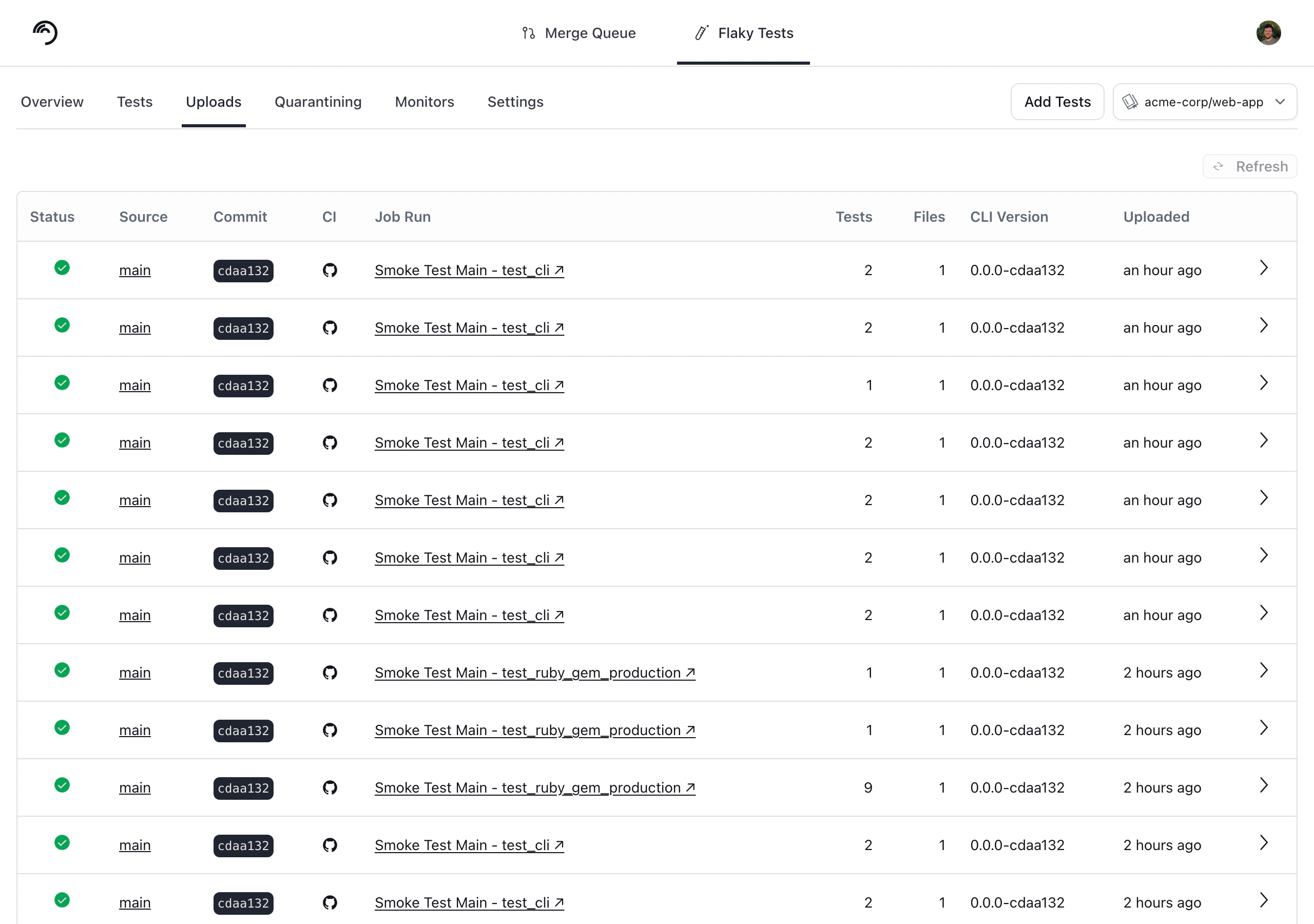
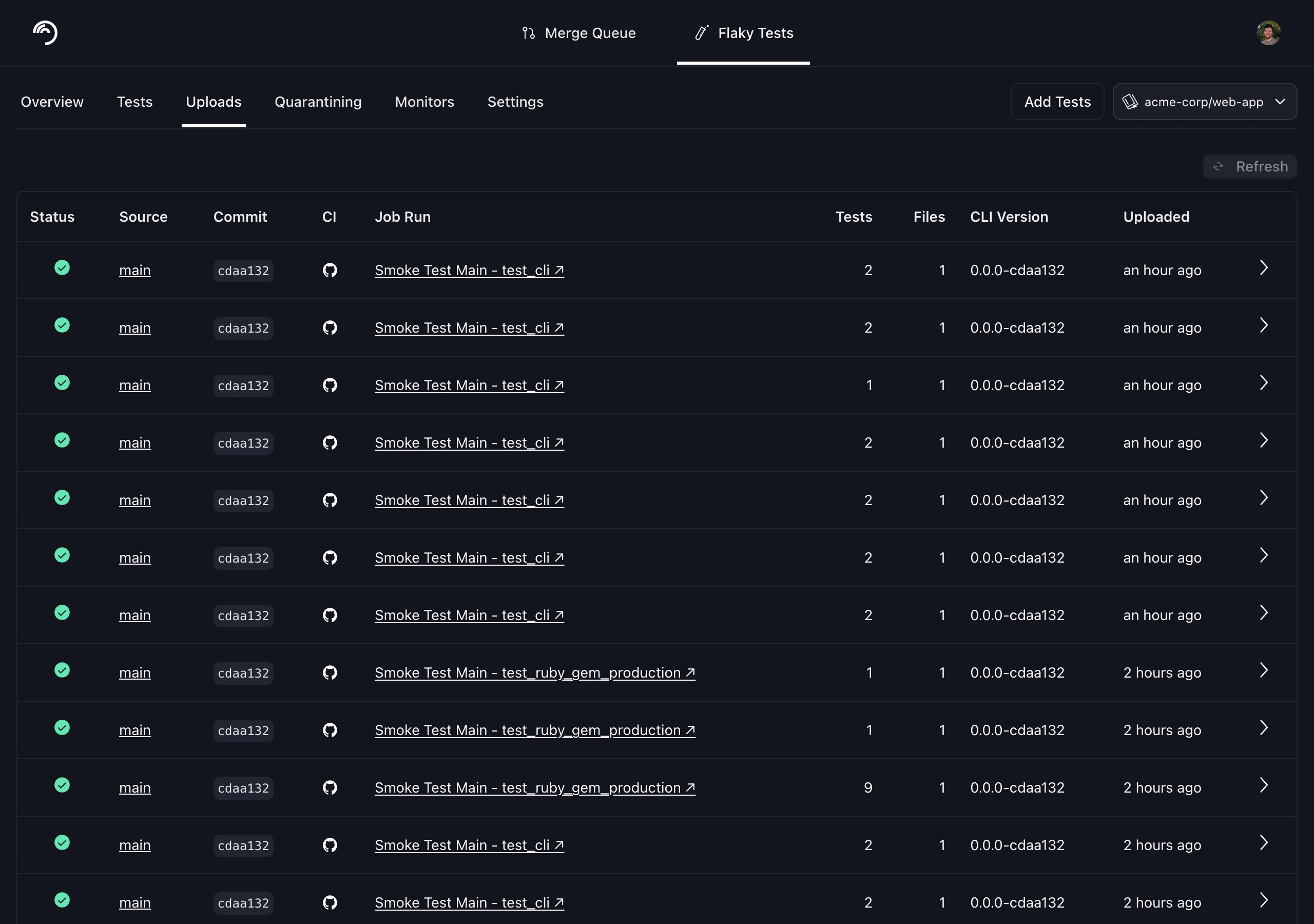
You can find your Trunk organization slug and token in the settings or by following these [instructions](https://docs.trunk.io/flaky-tests/get-started/ci-providers/otherci#id-1.-store-a-trunk_token-secret-in-your-ci-system). After your upload, you can verify that Trunk has received and processed it successfully in the **Uploads** tab. Warnings will be displayed if the report has issues.

<figure><picture><source srcset="https://577236045-files.gitbook.io/~/files/v0/b/gitbook-x-prod.appspot.com/o/spaces%2F61Ep9MrYBkJa0Yq3zS1s%2Fuploads%2Fgit-blob-8ce83f8ce288a56d53ef28e6e10aa0a9a00a8e73%2Fdata-uploads-dark.png?alt=media" media="(prefers-color-scheme: dark)"><img src="https://577236045-files.gitbook.io/~/files/v0/b/gitbook-x-prod.appspot.com/o/spaces%2F61Ep9MrYBkJa0Yq3zS1s%2Fuploads%2Fgit-blob-3c7ab35af710be9d4e4bf0976a1d848436a04077%2Fdata-uploads-light.png?alt=media" alt=""></picture><figcaption></figcaption></figure>

### Next Step

Configure your CI to upload test runs to Trunk. Find the guides for your CI framework below:

<table data-view="cards" data-full-width="false"><thead><tr><th></th><th data-hidden></th><th data-hidden data-card-target data-type="content-ref"></th><th data-hidden data-card-cover data-type="files"></th></tr></thead><tbody><tr><td><strong>Azure DevOps Pipelines</strong></td><td></td><td><a href="../ci-providers/azure-devops-pipelines">azure-devops-pipelines</a></td><td><a href="https://577236045-files.gitbook.io/~/files/v0/b/gitbook-x-prod.appspot.com/o/spaces%2F61Ep9MrYBkJa0Yq3zS1s%2Fuploads%2Fgit-blob-e25fd26aa79fb9b2eed0d2dcd87b1a5914dff23d%2Fazure.png?alt=media">azure.png</a></td></tr><tr><td><strong>BitBucket Pipelines</strong></td><td></td><td><a href="../ci-providers/bitbucket-pipelines">bitbucket-pipelines</a></td><td><a href="https://577236045-files.gitbook.io/~/files/v0/b/gitbook-x-prod.appspot.com/o/spaces%2F61Ep9MrYBkJa0Yq3zS1s%2Fuploads%2Fgit-blob-f7bb3441ba62da7dc26dd780ad0ea8b12c6a9d5b%2Fbitbucket.png?alt=media">bitbucket.png</a></td></tr><tr><td><strong>BuildKite</strong></td><td></td><td><a href="../ci-providers/buildkite">buildkite</a></td><td><a href="https://577236045-files.gitbook.io/~/files/v0/b/gitbook-x-prod.appspot.com/o/spaces%2F61Ep9MrYBkJa0Yq3zS1s%2Fuploads%2Fgit-blob-13bce185a370e3ad7386afc527575e6049f6c90c%2Fbuildkite.png?alt=media">buildkite.png</a></td></tr><tr><td><strong>CircleCI</strong></td><td></td><td><a href="../ci-providers/circleci">circleci</a></td><td><a href="https://577236045-files.gitbook.io/~/files/v0/b/gitbook-x-prod.appspot.com/o/spaces%2F61Ep9MrYBkJa0Yq3zS1s%2Fuploads%2Fgit-blob-29c2601d74f7bb842edccefda703e1c93cafe386%2Fcircle-ci.png?alt=media">circle-ci.png</a></td></tr><tr><td><strong>Drone CI</strong></td><td></td><td><a href="../ci-providers/droneci">droneci</a></td><td><a href="https://577236045-files.gitbook.io/~/files/v0/b/gitbook-x-prod.appspot.com/o/spaces%2F61Ep9MrYBkJa0Yq3zS1s%2Fuploads%2Fgit-blob-8e6723931dcb17d4c7c040feb2139b68e76ce9a9%2Fdrone.png?alt=media">drone.png</a></td></tr><tr><td><strong>GitHub Actions</strong></td><td></td><td><a href="../ci-providers/github-actions">github-actions</a></td><td><a href="https://577236045-files.gitbook.io/~/files/v0/b/gitbook-x-prod.appspot.com/o/spaces%2F61Ep9MrYBkJa0Yq3zS1s%2Fuploads%2Fgit-blob-39bf1729c8521770c91ff6f969a0cad8557eda90%2Fgithub.png?alt=media">github.png</a></td></tr><tr><td><strong>GitLab</strong></td><td></td><td><a href="../ci-providers/gitlab">gitlab</a></td><td><a href="https://577236045-files.gitbook.io/~/files/v0/b/gitbook-x-prod.appspot.com/o/spaces%2F61Ep9MrYBkJa0Yq3zS1s%2Fuploads%2Fgit-blob-159f50caada873e4a221f14845fb411ddb134a3d%2Fgitlab.png?alt=media">gitlab.png</a></td></tr><tr><td><strong>Jenkins</strong></td><td></td><td><a href="../ci-providers/jenkins">jenkins</a></td><td><a href="https://577236045-files.gitbook.io/~/files/v0/b/gitbook-x-prod.appspot.com/o/spaces%2F61Ep9MrYBkJa0Yq3zS1s%2Fuploads%2Fgit-blob-f23f9fe36af0f5d1941285bfc528aa9a5fff1b1b%2Fjenkins.png?alt=media">jenkins.png</a></td></tr><tr><td><strong>Semaphore</strong></td><td></td><td><a href="../ci-providers/semaphoreci">semaphoreci</a></td><td><a href="https://577236045-files.gitbook.io/~/files/v0/b/gitbook-x-prod.appspot.com/o/spaces%2F61Ep9MrYBkJa0Yq3zS1s%2Fuploads%2Fgit-blob-f86249ac586cebdc0e2f7854126051b7e51a6e9c%2Fsemaphore.png?alt=media">semaphore.png</a></td></tr><tr><td><strong>TeamCity</strong></td><td></td><td><a href="https://github.com/trunk-io/docs/blob/main/flaky-tests/get-started/frameworks/broken-reference/README.md">https://github.com/trunk-io/docs/blob/main/flaky-tests/get-started/frameworks/broken-reference/README.md</a></td><td><a href="https://577236045-files.gitbook.io/~/files/v0/b/gitbook-x-prod.appspot.com/o/spaces%2F61Ep9MrYBkJa0Yq3zS1s%2Fuploads%2Fgit-blob-b3d36f21bb85001be0fa7ec1ba648f0c169202b7%2Fteamcity.png?alt=media">teamcity.png</a></td></tr><tr><td><strong>Travis CI</strong></td><td></td><td><a href="../ci-providers/travisci">travisci</a></td><td><a href="https://577236045-files.gitbook.io/~/files/v0/b/gitbook-x-prod.appspot.com/o/spaces%2F61Ep9MrYBkJa0Yq3zS1s%2Fuploads%2Fgit-blob-4d1125ee24d6189434ed3ca83f411a3dc6e1ca12%2Ftravis.png?alt=media">travis.png</a></td></tr><tr><td><strong>Other CI Providers</strong></td><td></td><td><a href="../ci-providers/otherci">otherci</a></td><td><a href="https://577236045-files.gitbook.io/~/files/v0/b/gitbook-x-prod.appspot.com/o/spaces%2F61Ep9MrYBkJa0Yq3zS1s%2Fuploads%2Fgit-blob-3d5eaefed10f481da930070b192d96463c765041%2Fother.png?alt=media">other.png</a></td></tr></tbody></table>


---

# Agent Instructions: Querying This Documentation

If you need additional information that is not directly available in this page, you can query the documentation dynamically by asking a question.

Perform an HTTP GET request on the current page URL with the `ask` query parameter:

```
GET https://docs.trunk.io/flaky-tests/get-started/frameworks/vitest.md?ask=<question>
```

The question should be specific, self-contained, and written in natural language.
The response will contain a direct answer to the question and relevant excerpts and sources from the documentation.

Use this mechanism when the answer is not explicitly present in the current page, you need clarification or additional context, or you want to retrieve related documentation sections.